
Introduction to SkyDrive and it’s Benefits!
Technology often advances faster than we can ever keep up with. This article is here to help you understand what SkyDrive is and how you can use this free service to help you store and access your files with ease.
What is SkyDrive?
SkyDrive is a storage solution that keeps your files safe and secure online in your personal cloud. You can work on a document from your desktop computer and save it to your SkyDrive to edit your files or access them again on your smartphone or tablet while you’re on the go. Or, bring all of your phone and tablet to your SkyDrive to save backups of your pictures and documents to your desktop. SkyDrive is the link that lets you access your information anywhere you are and eliminates the need for flash drives, USB cords, and all the extra frustrations.
Benefits of Using SkyDrive
 Access Your Files Anywhere – All of the files you save on your SkyDrive can be accessed, viewed and updated from your phone, tablet, desktop and any other internet-enabled device.
- Download Your Smartphone Files – Using SkyDrive gives you an easy way to save your pictures and files you’ve started to your desktop and eliminates the need of plugging your phone in with a USB cord to download files or other complicated methods.
- Share Your Files – SkyDrive gives you the ability to share your files including your documents, pictures, videos and more. You can share your files by email or with a link or set permissions on the file to give your friends, family, or coworkers access.
- Synced Files – Edits you make on one of your device will update all of your files so you always have the most up-to-date document available. You can also sync photo folders from different locations so all of your pictures are available on each device, even if they aren’t stored there. This can keep your phone from being overloaded with picture files but still give you access to all your favorite pictures.
- Working Together – With the help of Office, you can even use and edit files together with classmates, coworkers, or your family and friends. Multiple users can have a single file open and make edits that will be automatically updated through SkyDrive to let everyone see the latest changes and collaborate together even if you’re not in the same room.
Get Started with SkyDrive
You can find SkyDrive app available in the marketplace for your devices. There is an app available for your Windows Phone, iPad, iPhone, and Android devices. There is also a desktop application available for download for both PCs and Macs. You will just need a Microsoft account (for example an email address from hotmail, MSN, or one of their other services) to sign up for your free account.
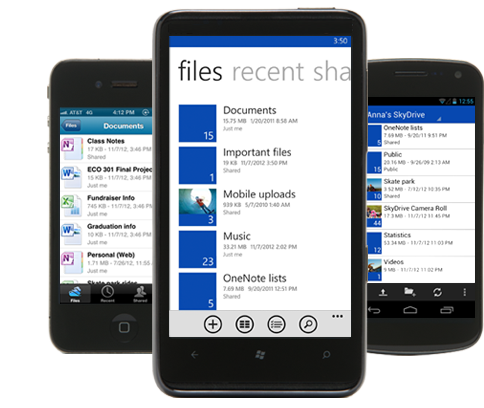
Not sure you’re ready to make the switch? See how SkyDrive compares to their competition! SkyDrive offers 7GB of storage space, works on all devices, and is loaded with features!
Disclosure: I am a Windows Champions blogger and I received a loan of a laptop and may receive other awards from Microsoft to post my opinions about Microsoft products.

I love being able to get to your work regardless of where you are. That is what I think is the best thing about Sky//drive.
This is a great amount of space, I would love to try this.
I’ve not tried SkyDrive yet but hear that it’s the smart way to go!
i love skydrive! with all my broken computers in the past and all my lost work it has been wonderful to have now!
I have a new laptop with WIndows 8 and I have been trying to learn how to do it too. Will have to utilize the SkyDrive.
OH this is perfect timing!! I just got a new laptop that has Windows8 and I have been trying to learn it (and LOVE IT!) And wondered how to really utilize the SkyDrive! Awesome!!